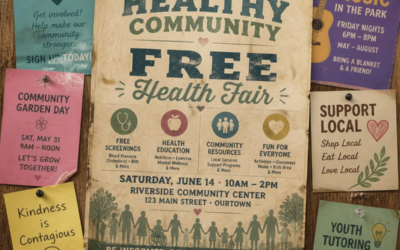
A PDF and a web page can hold the exact same information and still behave completely differently to a search engine, and to the person trying to find them. Uploading a flyer as a PDF feels like publishing. To a search engine, and to someone searching on their phone, it often isn’t.
Why the PDF Feels Like Enough
Picture a workforce development nonprofit that runs a well-regarded Career Readiness Certificate program. Someone on staff put real effort into it: a clean, professionally designed one-page flyer explaining eligibility, the class schedule, and how to enroll. It gets uploaded to a “Resources” page on the website, linked as “Career Readiness Certificate (PDF).” From the inside, that feels finished. The information exists. It’s on the website. What more is there to do?
Quite a bit, as it turns out, because “on the website” and “findable” aren’t the same claim. The flyer answers every question a visitor might have, once they’ve already found it. Getting them there is the part a PDF quietly fails at.
What a Search Engine Actually Sees
A search engine favors pages with a clear title, a specific heading, and text it can read and rank on its own terms, “Career Readiness Certificate Program, Fall Enrollment Open” as an actual page title, not a filename buried inside a linked document. A PDF can be indexed, technically, but it rarely competes well against a dedicated page built around the exact phrase someone searched.
Applied to the certificate program: someone searches “career readiness certificate classes near me.” A competing organization’s plain, dedicated web page, with that phrase in the title and the first sentence, will typically outrank a PDF sitting three clicks deep on a nonprofit’s resources page, even if the PDF’s information is better. Search engines reward the format that matches how people search, not the format that took more design effort to produce.
There’s a second, quieter cost too: PDFs are hard to update. When the certificate program’s fall schedule changes, someone has to open the design file, edit it, re-export it, and re-upload it, a process most staff put off until it’s genuinely urgent. A web page’s schedule can be edited directly and instantly. Over a year or two, the PDF drifts further from accurate, and an outdated PDF actively misleads the exact person a search engine did manage to send it to.
What a Person Actually Experiences
Say someone does find the link anyway, through a shared post or a lucky search. On a phone, the PDF opens into a document built for a printed page: small text, no easy way to zoom without losing the layout, no button to tap that says “apply now.” The visitor is left pinching and scrolling sideways to read a schedule that was clearly designed to be printed and handed out, not read on a five-inch screen.
Most people don’t fight through that. They close the tab and move on to whichever result loaded as an actual, readable web page. The information didn’t fail them, the format did, at the exact moment they were ready to act on it.
A Two-Minute Way to Check Your Own Site
Search your own organization’s name alongside each program you run, “[Your Org] career readiness,” and look at what actually appears in the results. If the top result is a document icon instead of a normal web page listing, that program is living the same life the certificate flyer is.
Do this for three or four of your priority programs. A pattern of document-icon results, rather than clean page titles, is a fast way to see how much of your organization’s real work is sitting in a format search doesn’t favor, before you spend time deciding what to fix first.
The Fix Isn’t Deleting the PDF, It’s Converting It
None of this means the flyer was wasted effort. It means the same information needs a second form: an actual web page, with its own title, its own heading, and its own address a search engine can index and a person can read on any device. The PDF can still exist for people who want something printable to hand out at a community event.
For the certificate program, that means a page titled plainly, “Career Readiness Certificate Program,” with the schedule and eligibility written out as real text, not locked inside an image or a document, and a visible next step, apply, call, register, right where the visitor lands. The flyer becomes a handout again, doing the job it was actually built for, while the web page does the job of being found. Chapter 3 of Leap The Nonprofit Discoverability Gap describes exactly this problem: information that genuinely exists inside an organization, just not in a form search can use, and the book is free to read.
Key Messaging:
- A PDF can hold the same information as a web page and still be effectively invisible to search.
- Search engines reward pages with clear titles and readable text over documents buried behind a link.
- A PDF built for printing rarely works well on the phone screen most visitors are actually using.
- Converting a PDF into a real page doesn’t mean deleting it, it means giving the same information a form search and people can actually use.